Scan a page, read it like a book — or just listen.
BooxiA turns the books, notes and PDFs you already have into a personal library on iPhone and iPad. Scan a page, and text recognition that runs on the device — in Turkish and English — turns it into something you can read on six paper themes, mark up and study, or hear read aloud even with the phone locked. No account, no login: the library stays on your device.
- iPhone
- iPad
- Turkish + English OCR
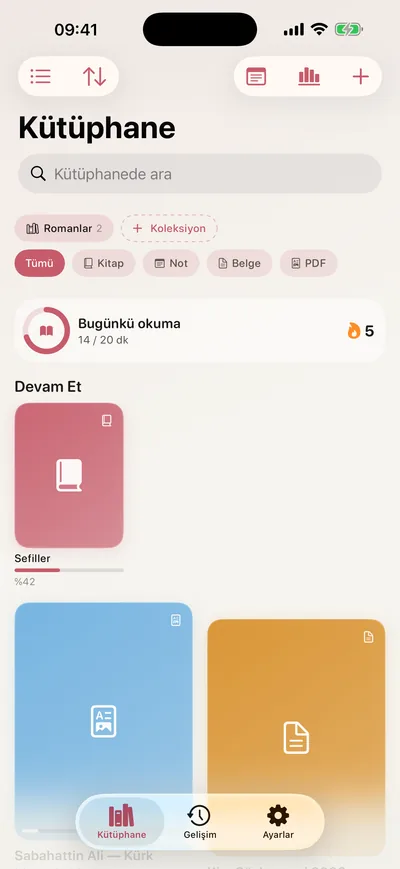
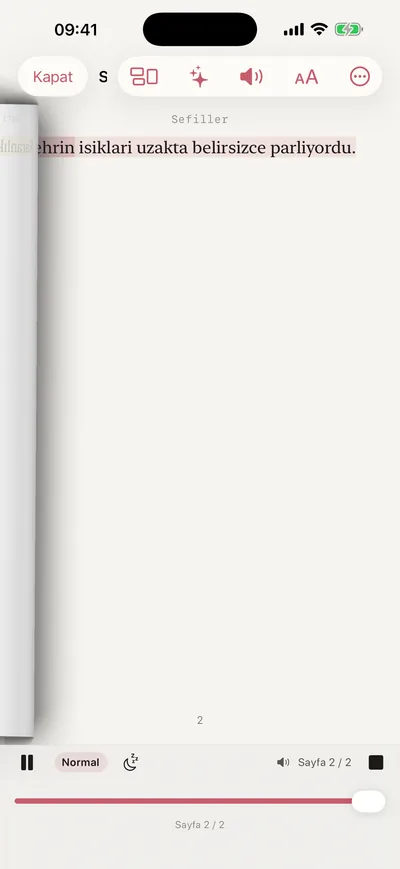
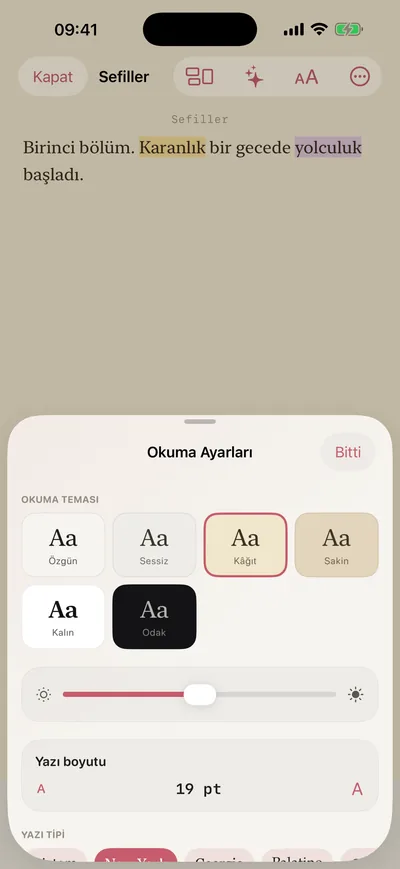
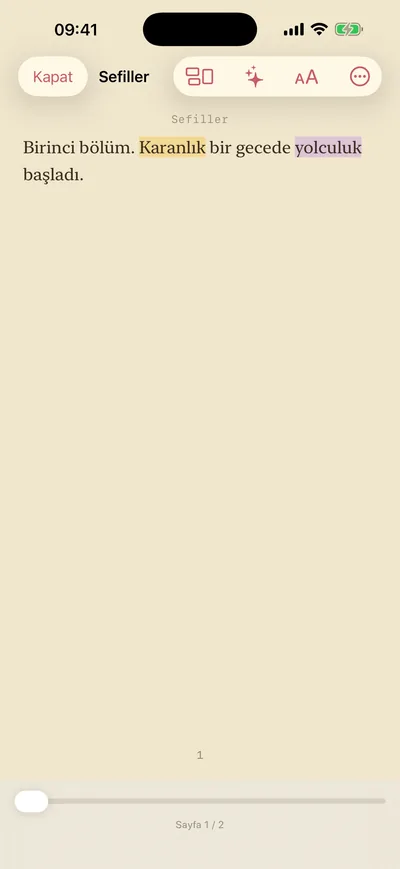
- paper themes, from Original to Focus
- 6
- ways to turn a page, a paper curl among them
- 4
- languages read on the device: Turkish and English
- 2
- accounts or logins — the library stays with you
- 0
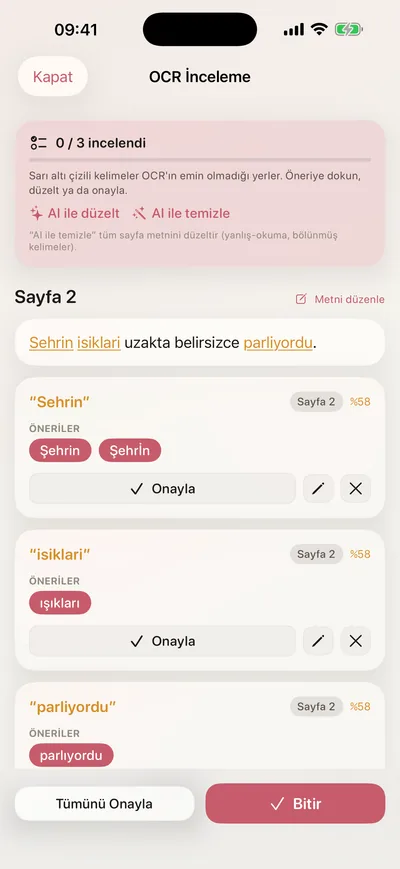
Scan
A page becomes text, on the phone.
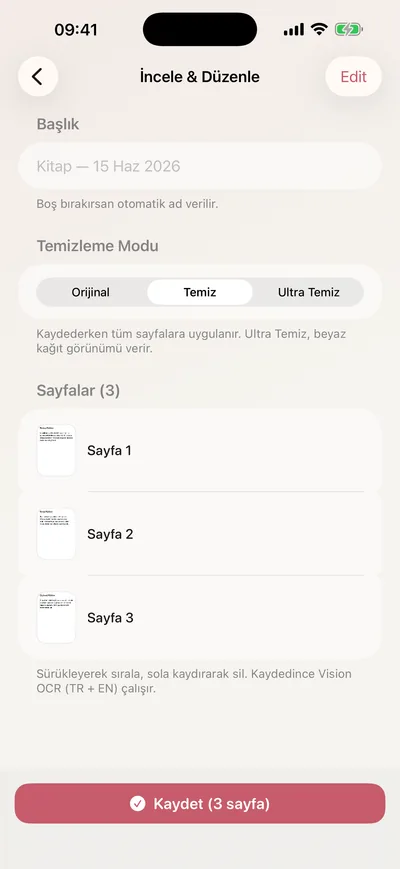
Scan with the camera, or bring in a photo or a PDF. Apple's Vision reads Turkish and English on the device — ç, ğ, ı, İ, ş included — and the words it wasn't sure of come back underlined, with suggestions to accept one by one or all at once.
Read
Six papers, four page turns.
Original, Quiet, Paper, Calm, Bold and Focus; type size, font family and brightness; pages that scroll, slide, curl like a book's or simply fade. Highlight, bookmark, search inside the book and jump through its contents.
Listen
Or let it read to you.
Read-aloud carries on in the background and from the lock screen, highlights the sentence it is speaking, and lets you choose the voice and the speed — with a sleep timer for the last pages of the night.
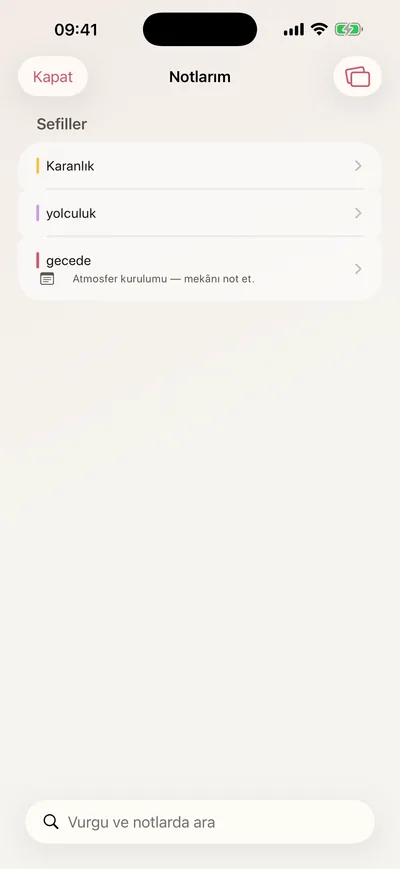
Study
Every highlight, in one place.
My Notes gathers the highlights and notes from every book. Your highlights become study cards, and a quote can leave as a card worth sharing. Export a searchable PDF with your notes, Markdown, or ePub (in beta).
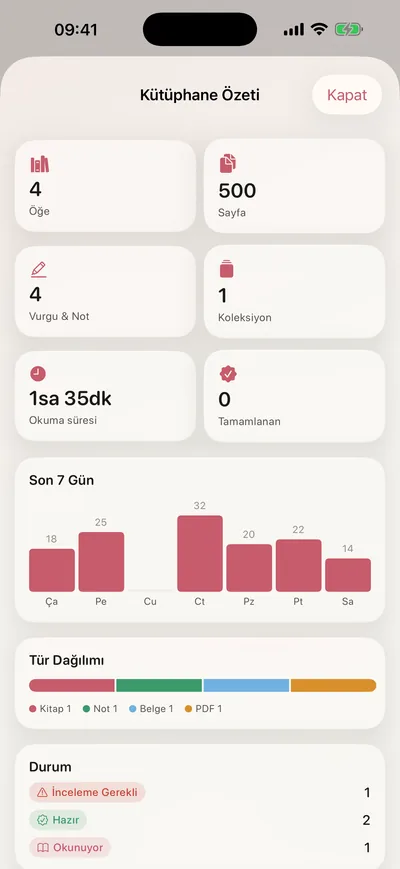
Habit
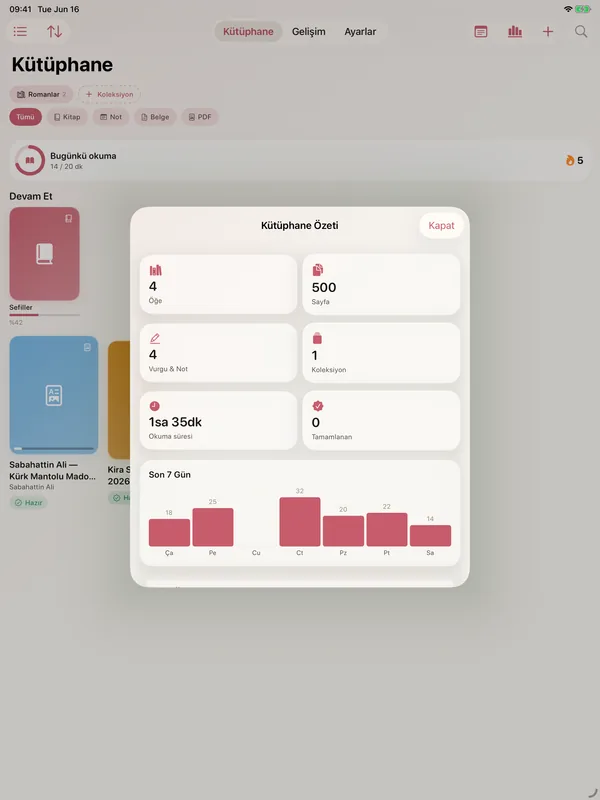
A daily goal, a streak, the last seven days.
Set the minutes for today and the library keeps count: a streak, a seven-day chart, your total reading time, and a Continue Reading shelf that opens each book where you left it. A reminder too, if you want one.
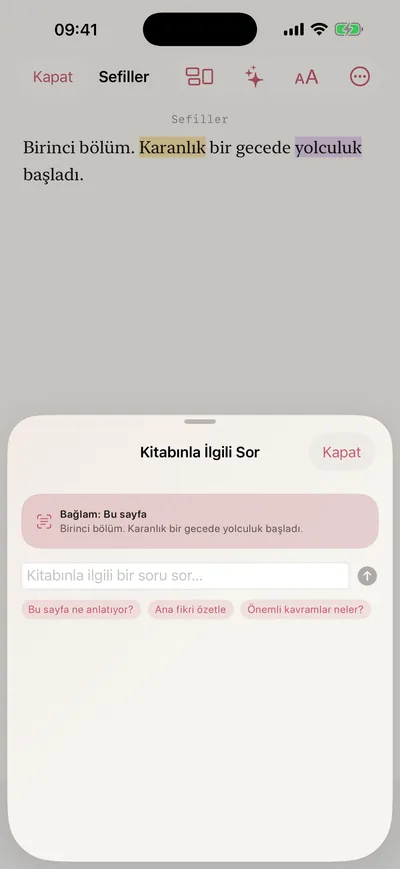
Ask
Ask your book — if you switch AI on.
Translate, define or explain a selection; ask about a page or a chapter; get a summary or study questions; tidy a scanned page's text in a couple of seconds. AI is off by default, and until you turn it on, nothing you scan leaves the device.


iPad
The same library, on a bigger page.
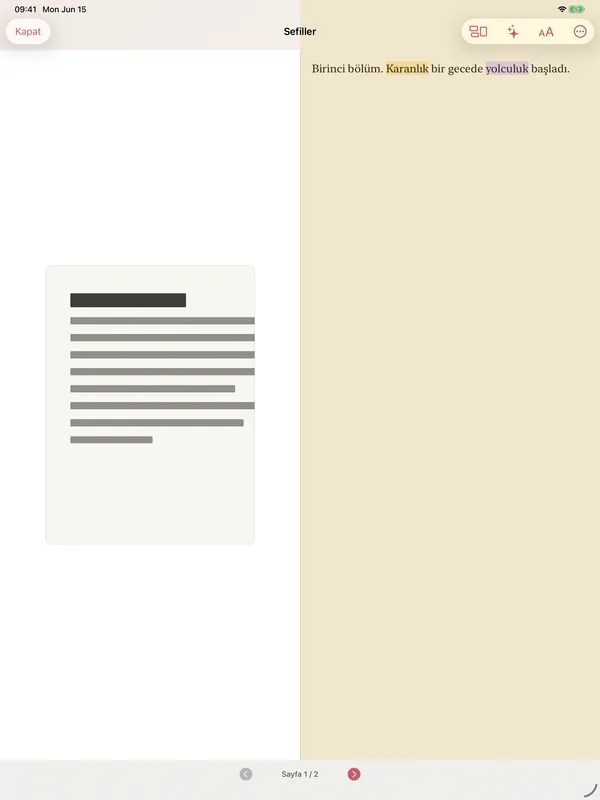
BooxiA runs on iPad in portrait and landscape, and there the reader can set the scanned page beside its text.
Screens from the demo library
How it's built
Local first, native all the way.
SwiftUI on iOS 26, MVVM, a project generated by XcodeGen, and the library kept on the device as plain Codable files. VisionKit scans, Vision reads, AVSpeech speaks and PDFKit writes the searchable PDFs. The optional AI goes through a small gateway of its own, written in TypeScript; the app is covered by more than 120 tests.
- SwiftUI
- VisionKit
- Vision
- AVSpeech
- PDFKit
- XcodeGen
- Node.js
- TypeScript
No account, nothing collected
No login and no tracking. The library lives on the device, and the privacy manifest declares no data collected.
In beta on TestFlight
More than a hundred builds since June 2026, in internal testing on TestFlight. The interface is in Turkish for now; the App Store is next.
BooxiA
TestFlight beta · App Store soon